


Summary: MOPX 2.9.0 is the biggest update since the rebuild. A shop can now take goods back, cancel or correct a bill, lock the app with an owner PIN and a worker PIN, back up to its own Google Drive every day, and show customers a UPI QR that already has the bill amount in it. Everything still works offline, the app is still free with no ads and no account, and Google Drive is optional.
This page explains each change: what it does, why it was needed, and what we decided while building it.
Returns and refunds
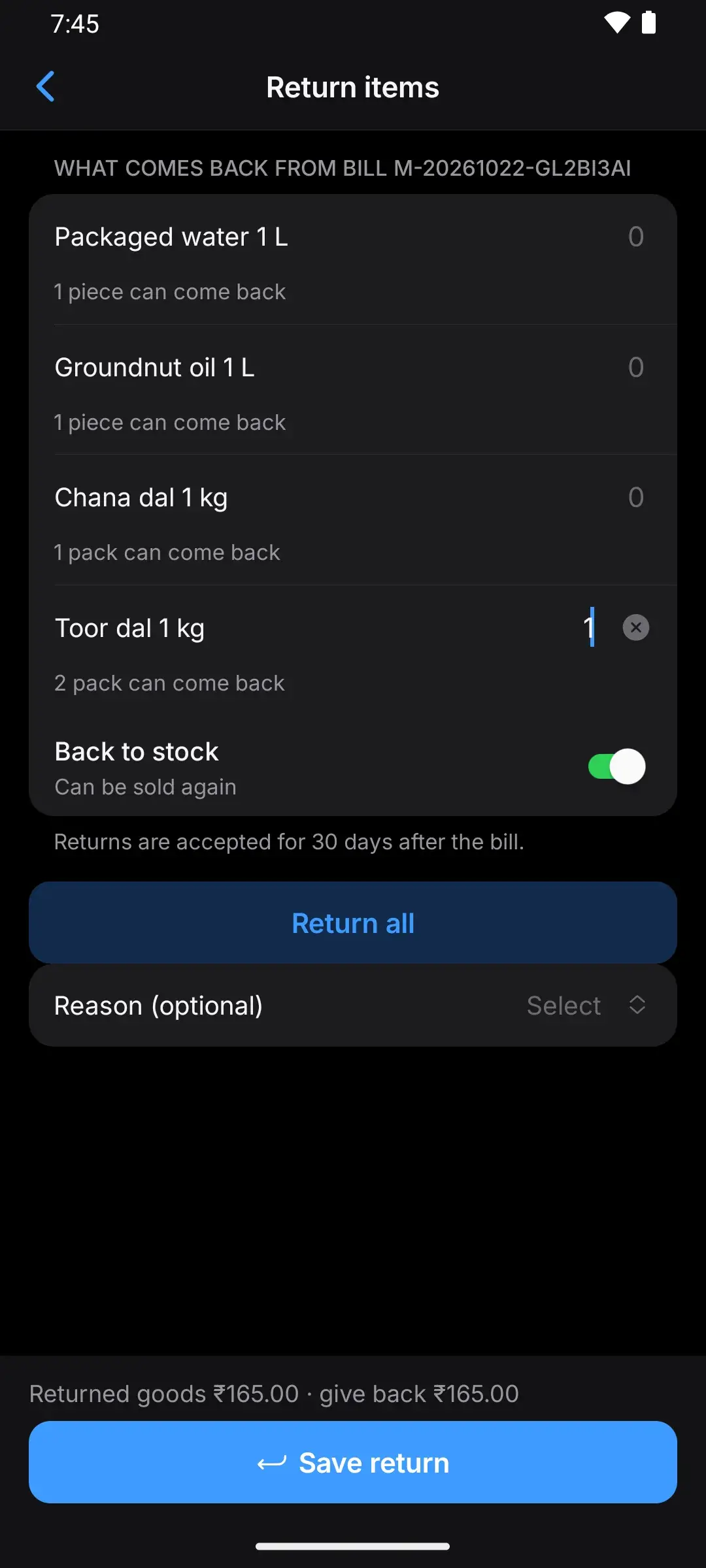
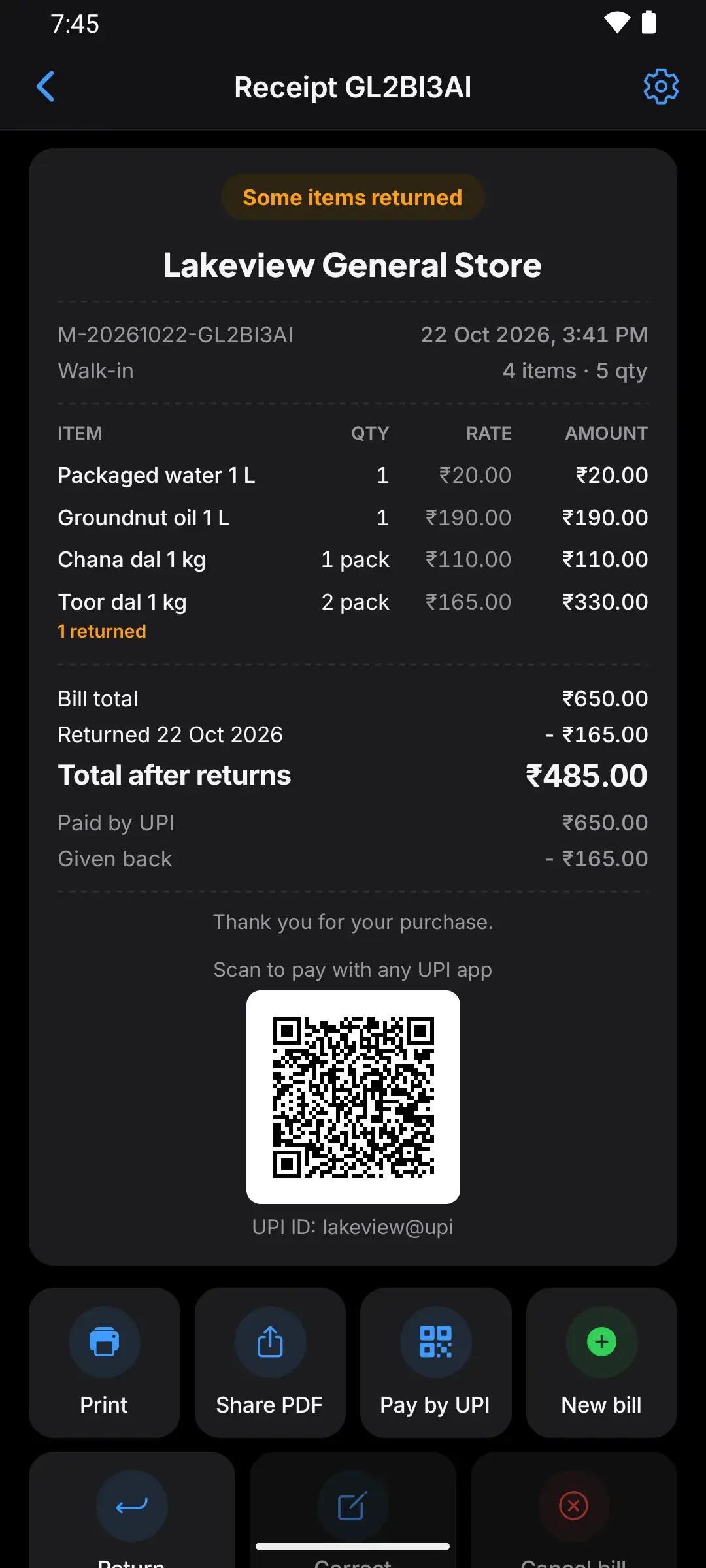
What changed
- Take goods back from any bill, item by item, or tap Return all.
- Money back or less credit: if the customer still owes on the bill, the return first reduces what they owe; anything left is money to give back. MOPX shows the amount.
- Back to stock or damaged: choose for each item whether it can be sold again.
- Return window: returns are accepted for 30 days after the bill by default. Change it in Settings (1, 7, 15, 30 or 90 days).
- Exchange: after a return, bill new items using the return amount.
- Print a return receipt.
- The bill shows what came back: each item shows how many were returned, then each return, the total after returns and any money given back. Also on the printed receipt and the PDF.
- Reports count returns on the day goods came back. Top products and items sold no longer count returned items.
Why it was needed
Before 2.9.0 there was no way to take goods back. Customers do bring things back, and when they do, the stock, the day’s cash and the customer’s credit all have to change.
What we decided
- A return is its own record, dated the day goods came back. The old bill is never edited. Changing the old bill would move money out of a day whose cash drawer was already counted, and the paper bill in the customer’s hand would no longer match MOPX.
- “Everything comes back” is Return all, not Cancel. Cancel is for bills that should never have existed. A real sale that comes back is a return.
- Credit first, then cash. If the customer still owes on the bill, the return lowers what they owe before any money goes back. Nobody gets cash for goods they haven’t paid for.
- 30 days by default, and each shop can choose 1, 7, 15, 30 or 90 days.
- Kept simple on purpose: MOPX doesn’t record how the money was given back, and a saved return can’t be undone.
Cancel or correct a bill
What changed
- Cancel a bill with a reason (wrong items, test bill, customer left, made by mistake). Its stock goes back and it leaves that day’s sales.
- Correct a bill: its items open in a new bill; change what you need and save. The old bill is cancelled only when the corrected one is saved, keeps its date, and money already paid moves to the new bill.
- Receipt lists mark cancelled bills and bills with returns.
Why it was needed
Mistakes happen at a busy counter: the wrong item, a test bill, a customer who walked away. Before 2.9.0 a wrong bill couldn’t be cancelled, so it stayed in the sales and the stock.
What we decided
- Bills are never edited in place. A cancelled bill stays visible, marked as cancelled, with its reason, so the history stays honest.
- Leave a correction without saving and nothing changes. The old bill is cancelled in the same step that saves the new one, never before.
- The corrected bill keeps the old bill’s date and its payments, so the day’s totals stay right.
PIN lock for owner and workers (optional)
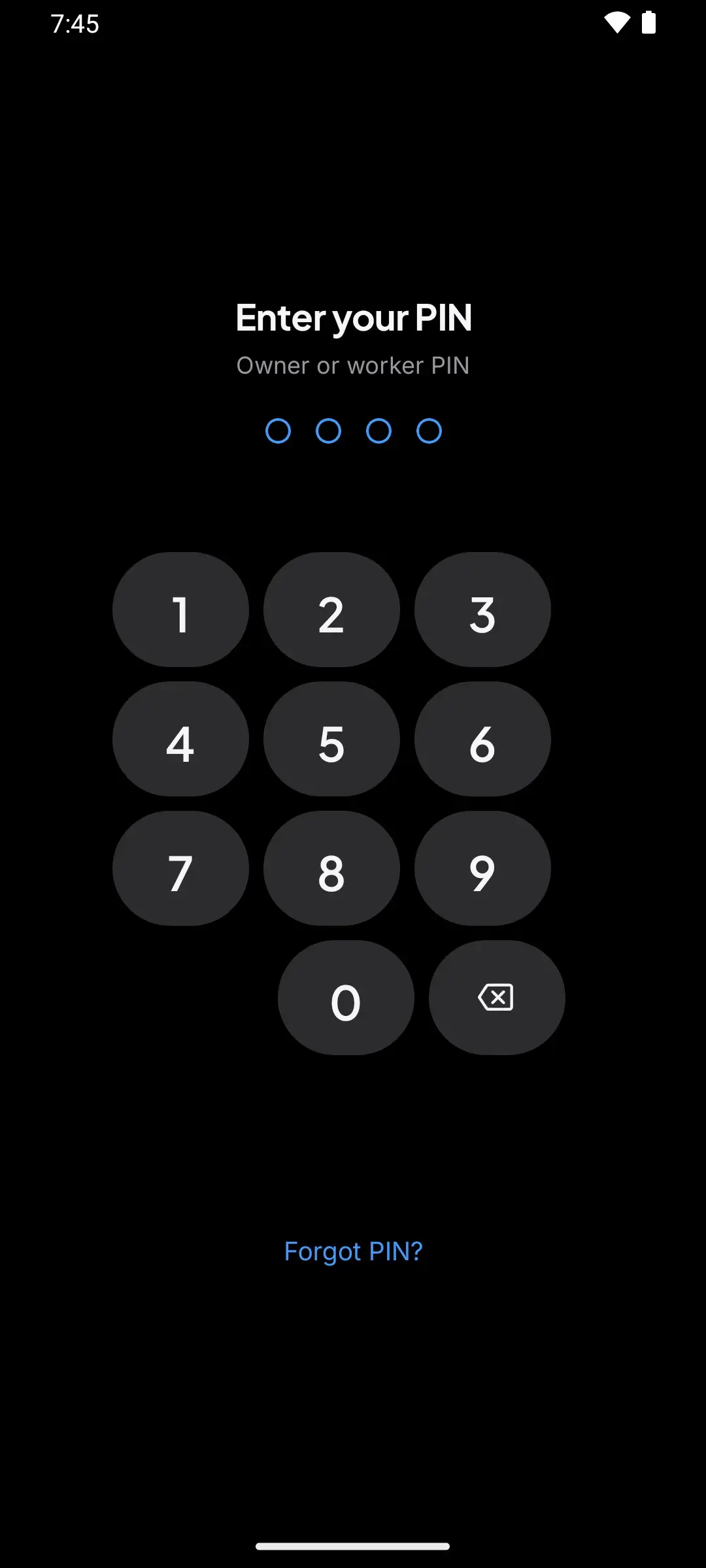
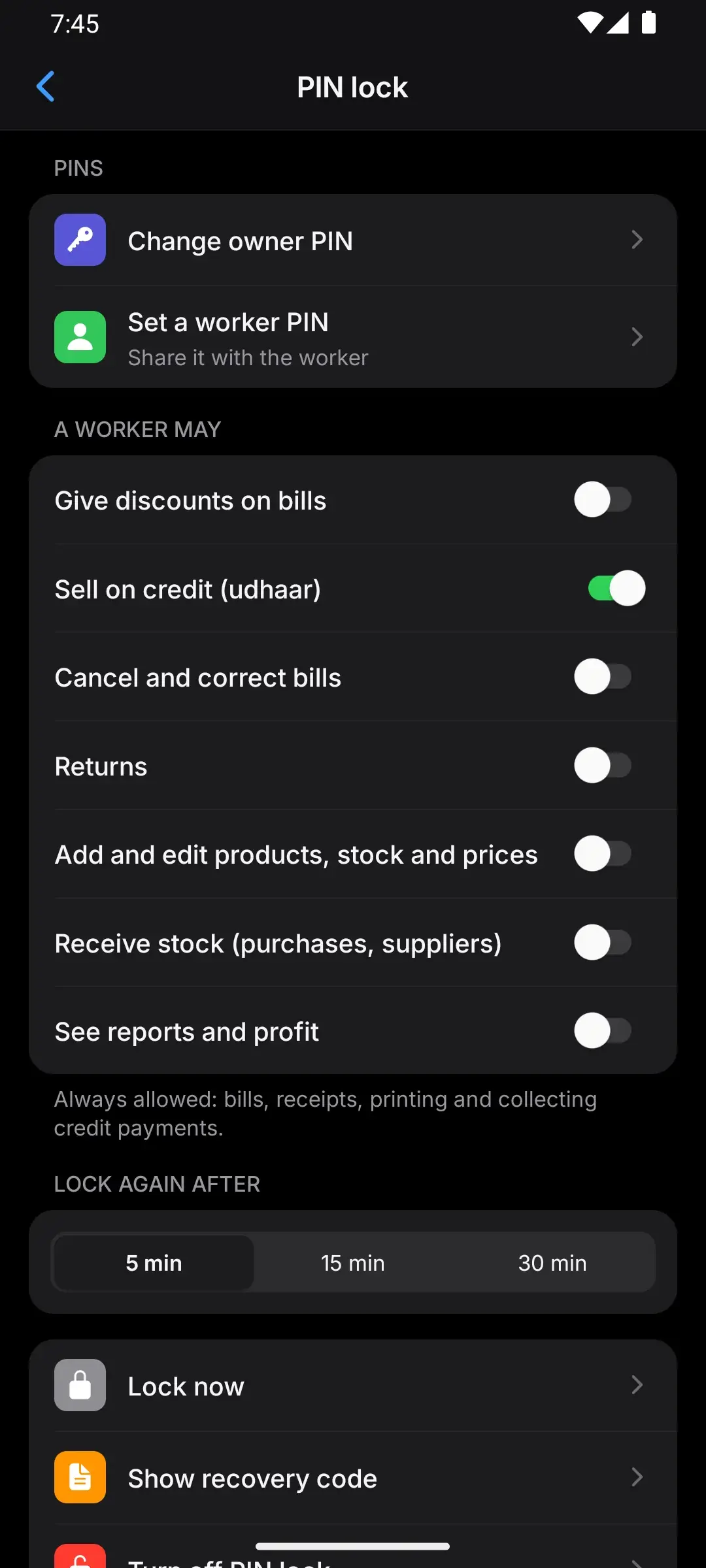
What changed
- Off until you turn it on in Settings → PIN lock.
- Owner PIN opens everything. Worker PIN opens billing, receipts, printing and collecting credit.
- You choose what workers may also do: discounts, credit sales, cancel and correct, returns, products and prices, receiving stock, reports.
- 4-digit PINs, no OK button: the owner PIN and the worker PIN both have 4 digits, and the PIN is checked the moment the 4th digit is typed.
- Owner mode for 5 minutes when a worker needs the owner for one step.
- Locks again when MOPX has been in the background for the time you choose (5, 15 or 30 minutes). Lock now locks it straight away.
- Recovery code in case the owner PIN is forgotten.
- Activity: see who did what (owner or worker).
Why it was needed
Many shops have a helper at the counter. The owner wants them to bill, but not to see the profit, change prices or cancel bills.
What we decided
- Off by default. A shop with one person behind the counter shouldn’t type a PIN all day.
- Free. PIN lock and worker permissions cost nothing, like the rest of MOPX.
- The worker’s basics are always on (bills, receipts, printing, collecting credit); everything else is a switch the owner controls.
- PINs are stored on the phone as one-way codes, never as the PIN itself.
- Every PIN has 4 digits. We first allowed 4 to 6. With a 4-digit worker PIN and a 6-digit owner PIN, the app checked the first 4 digits while the owner was still typing, and held them up. With one length for everyone, each PIN is checked once.
- At least 5 minutes before it locks again. Taking a product photo, scanning a barcode or answering a permission question leaves MOPX for a moment. With “lock at once”, the shop was locked out halfway through adding a product. To lock straight away, tap Lock now.
Google Drive backup (optional)
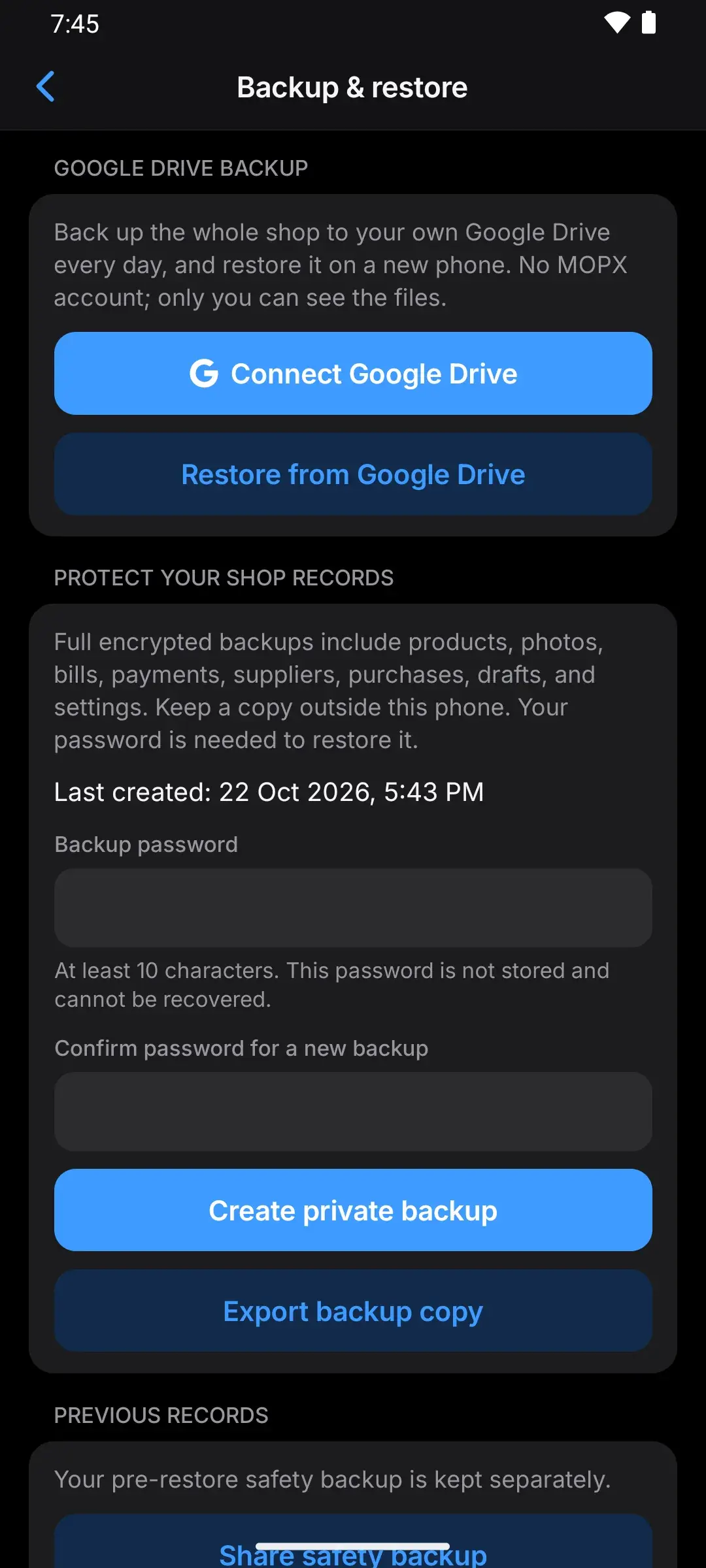
What changed
- Your own Google Drive, in a folder called “MOPX Backups”. There is still no MOPX account, and MOPX works fully without Drive.
- Every day by default (or weekly, or monthly), plus a Back up now button. Works on Wi-Fi or mobile data.
- Product photos are uploaded once, not in every backup.
- Old backups are tidied automatically: the last 7 daily, 4 weekly and 6 monthly backups are kept, plus your last 3 “Back up now” backups.
- New phone? Restore your shop from Google Drive, right from the first screen. The restore screen shows each step as it happens.
- Two phones on one Google account: MOPX asks whether the new phone replaces the old one or becomes a separate shop. Bills are never mixed between phones.
- A phone notification if backups keep failing for 3 days (when notifications are allowed).
Why it was needed
A shop’s records lived only on one phone. If the phone was lost, stolen or broken and nobody had saved a backup file somewhere else, the shop’s history was gone.
What we decided
- Optional and off until you connect it. The encrypted backup file still works as before.
- MOPX only sees the files it made in your Drive (Google’s “drive.file” permission). It cannot see anything else in your Drive, and the files sit in a visible folder you can download by hand.
- Any connection, including mobile data, not only Wi-Fi.
- No extra password for Drive backups; your Google account protects them.
- One phone per shop. MOPX doesn’t sync two phones; a second phone either takes over the shop or starts its own. Syncing is not built.
- Faster after real-phone testing: backup and restore now move several files at a time instead of one by one.
UPI QR with the bill amount
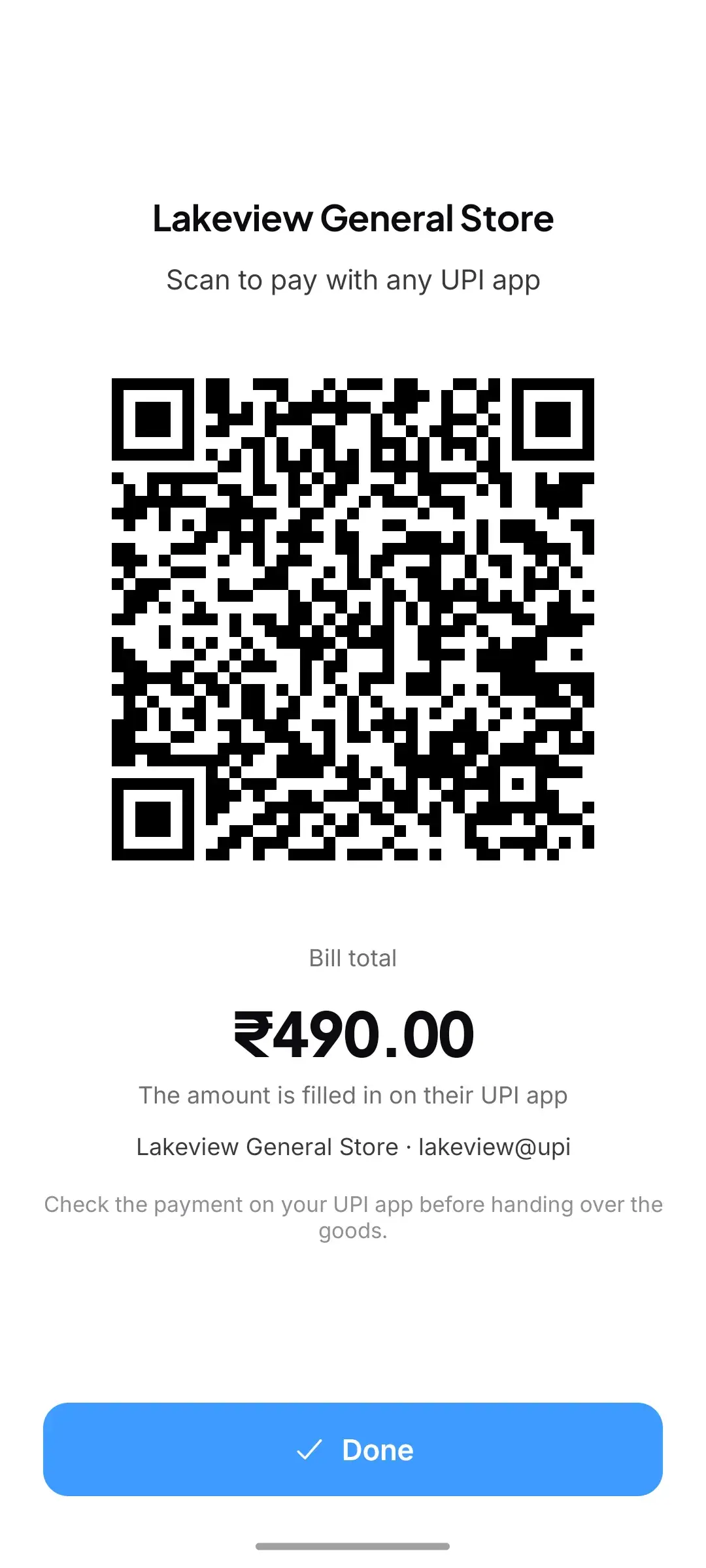
What changed
- After a bill, the receipt shows your shop’s UPI QR with the bill amount already filled in (once you add your shop’s UPI QR in Settings → Business details). The customer scans it and the amount appears in their UPI app; they don’t type it.
- Pay by UPI opens the QR full screen for the customer.
- If a customer’s UPI app has trouble with it, turn off Bill amount in the QR in Business details; MOPX then shows your normal QR.
- Printing the UPI QR on the paper receipt has been removed. The QR with the amount is on the phone’s receipt screen.
Why it was needed
With a plain shop QR, the customer types the amount, and a wrong amount is easy to type and slow to sort out.
What we decided
- MOPX never handles the money. The payment goes straight to your bank. MOPX can’t confirm it arrived, so check your UPI app or soundbox before handing over the goods.
- The QR is drawn as one image. Testing on budget phones showed that the first version made the receipt open slower, so it was changed before release.
Faster, easier everyday work
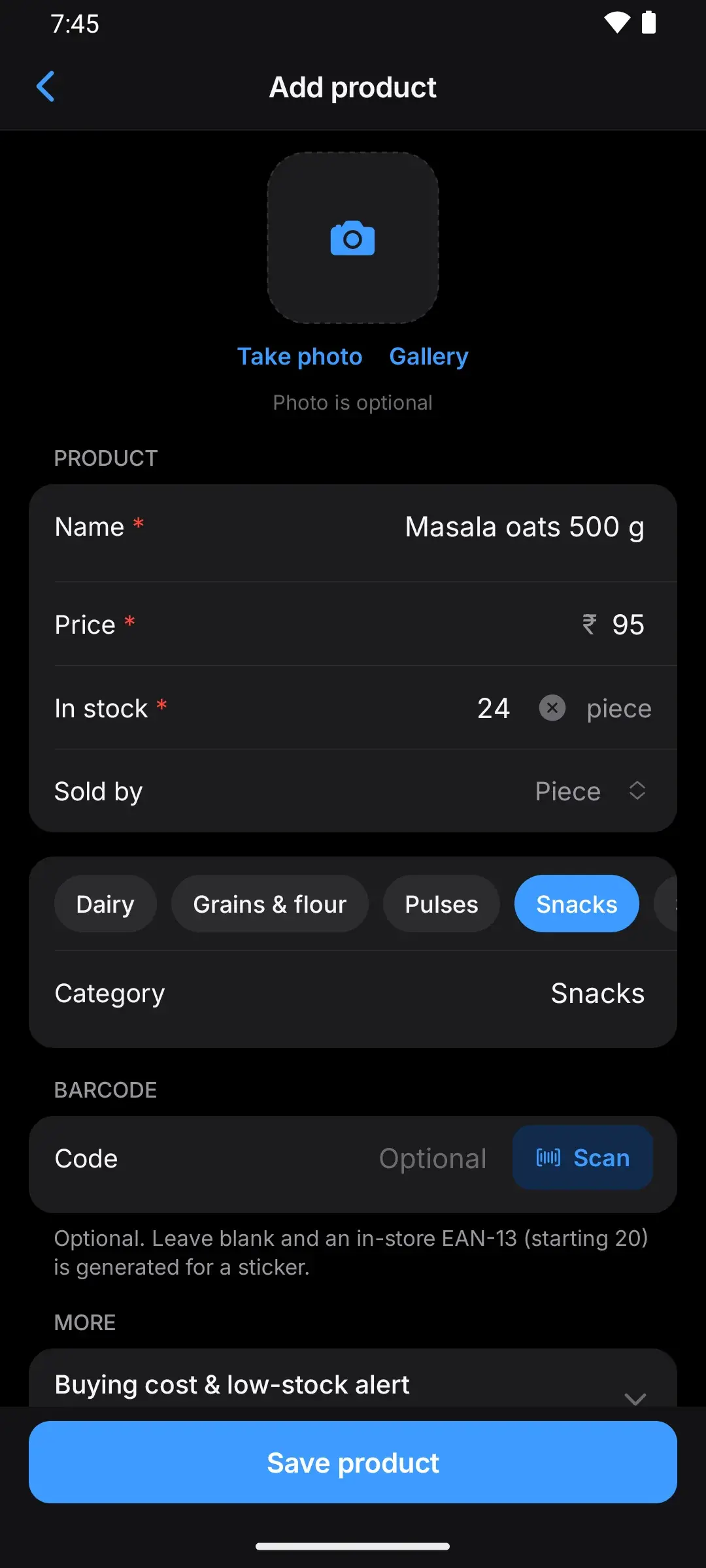
- Category picker: your categories appear as buttons when you add a product, most used first. No more “Biscuit” and “Biscuits” as two categories. Filter Stock by category.
- Number fields: tap a field to replace its value, or tap × to clear it. The first digit you type is never lost.
- Buying cost: when you receive stock, MOPX fills in the last buying cost and shows your margin; if the cost changed, it asks you to check your selling prices.
- Currency is chosen once at setup and stays fixed after the first bill, so totals never mix currencies.
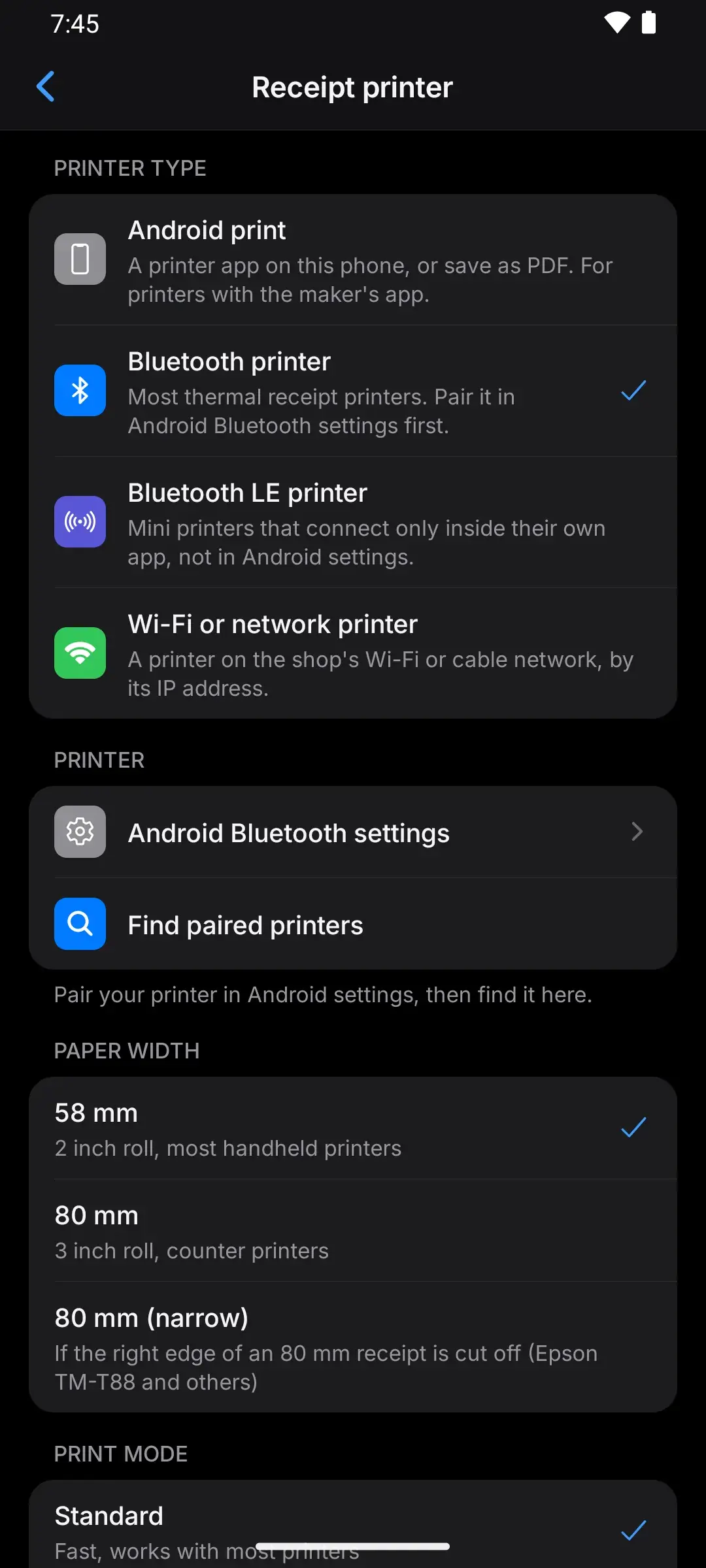
- Printers: a clear list of printer types (Android print, Bluetooth, Bluetooth LE, Wi-Fi or network) that says what each one needs, support for Bluetooth LE mini printers, and a Compatible print mode for cheap printers that stop halfway or print strange characters.
- Dialogs fit small screens: when button labels are long, the buttons stack instead of running off the card.
Safe to update
- Your shop’s data is kept. Before updating its database, MOPX makes a copy of it on the phone.
- Backups made with older versions of MOPX can still be restored.
- New features you don’t turn on change nothing: PIN lock and Google Drive start off.
- All new screens are in English and Hindi.
How we checked it
- An installed MOPX 2.8.0 with a full shop was updated to 2.9.0 in place. Every product, bill and total matched afterwards, and a backup made with 2.8.0 restored into 2.9.0.
- The speed test and its data checks ran on three real Android phones in Google’s Firebase Test Lab, one flagship and two budget phones. Every data check matched.
Links
- Get MOPX on Google Play: https://play.google.com/store/apps/details?id=com.arpanpatra.mopx
- Privacy policy: https://mopx.me/privacy
- Speed on real phones: https://mopx.me/benchmarks
