
- Free on Google Play
- Android 7.0+
- Works offline
Scan. Bill. Done.
- 01 Camera reads the barcode
- 02 Change worked out for you
- 03 Receipt printed or shared
The free billing app for small shops. Your Android phone becomes the scanner, the counter and the stock book, with a UPI QR that fills in the bill amount.


- Price
- ₹0
- Ads
- None
- Sign-up
- None
- Internet
- Not needed
- Runs on
- Android 7.0+
[01]The flow
One sale, start to finish.
-
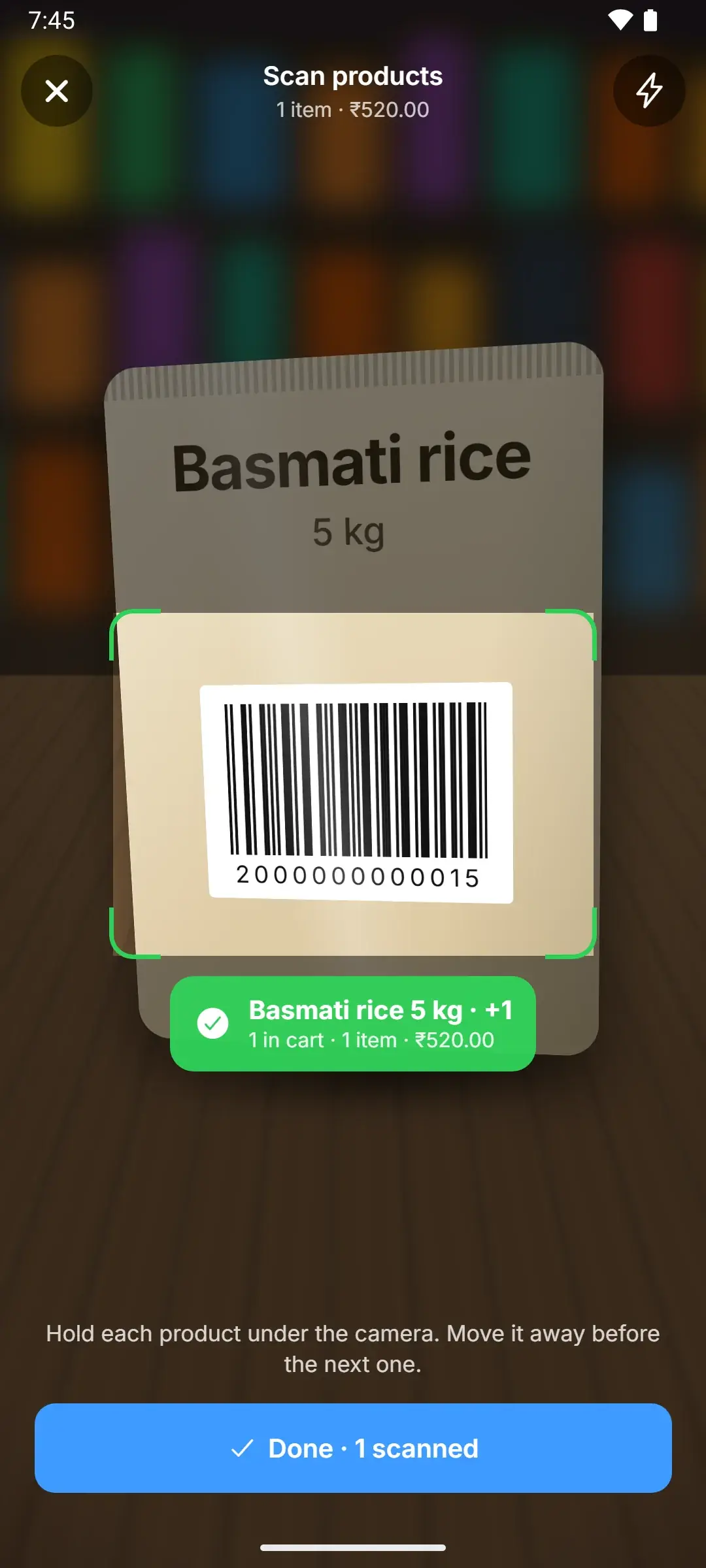
Point the camera
Each pack lands on the bill the moment its barcode is read.
-
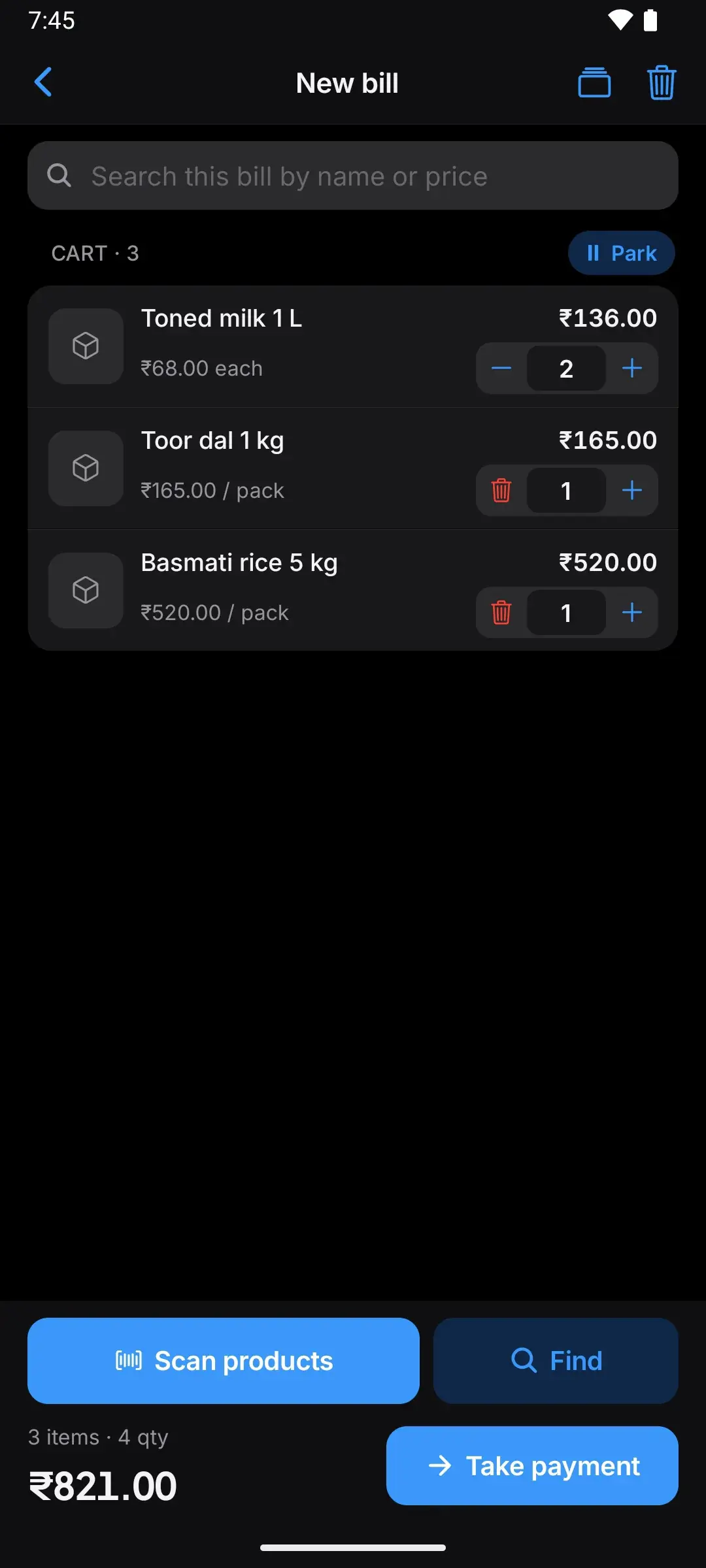
Check the bill
Change quantities, add loose items by name, or park it for later.
-
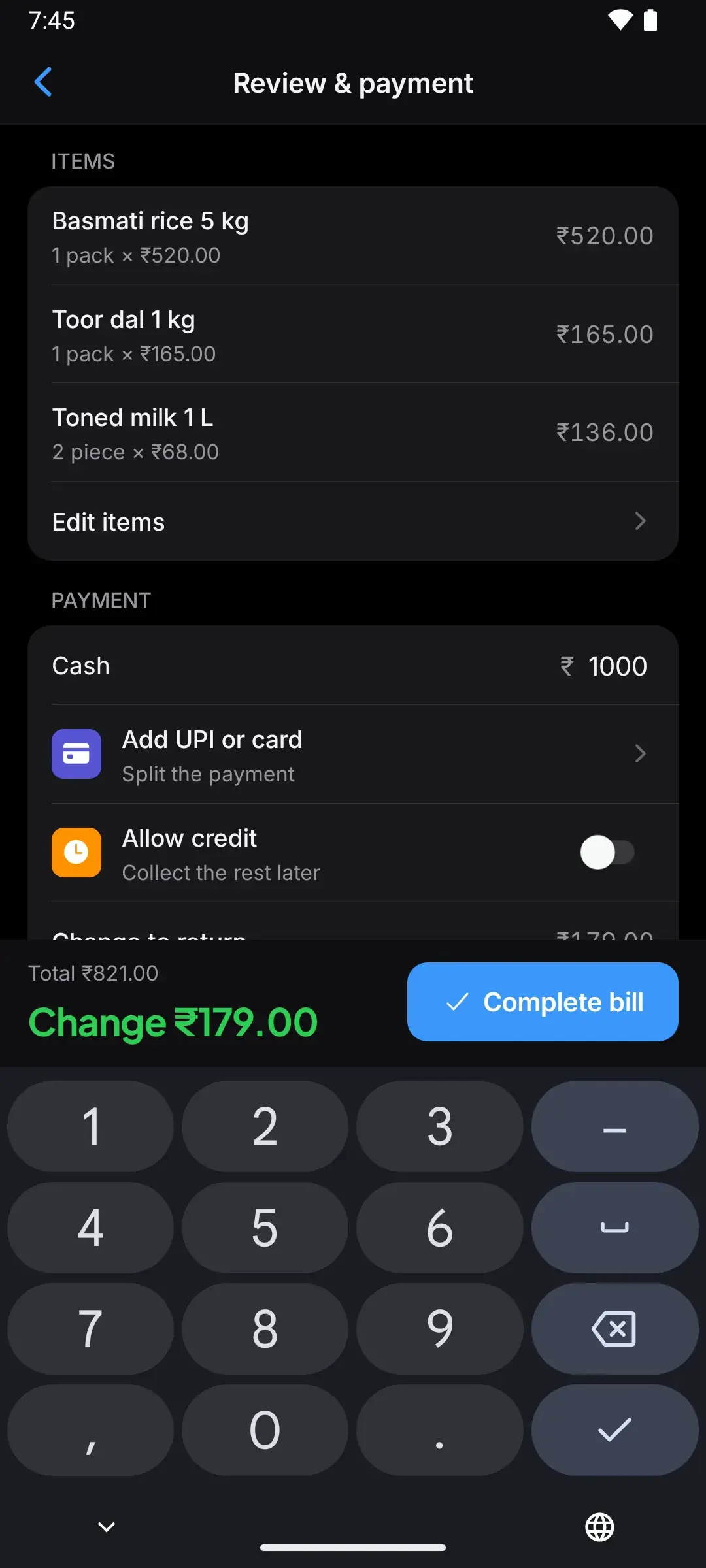
Take payment
Cash, UPI, card or a split. The change shows in big green numbers.
-
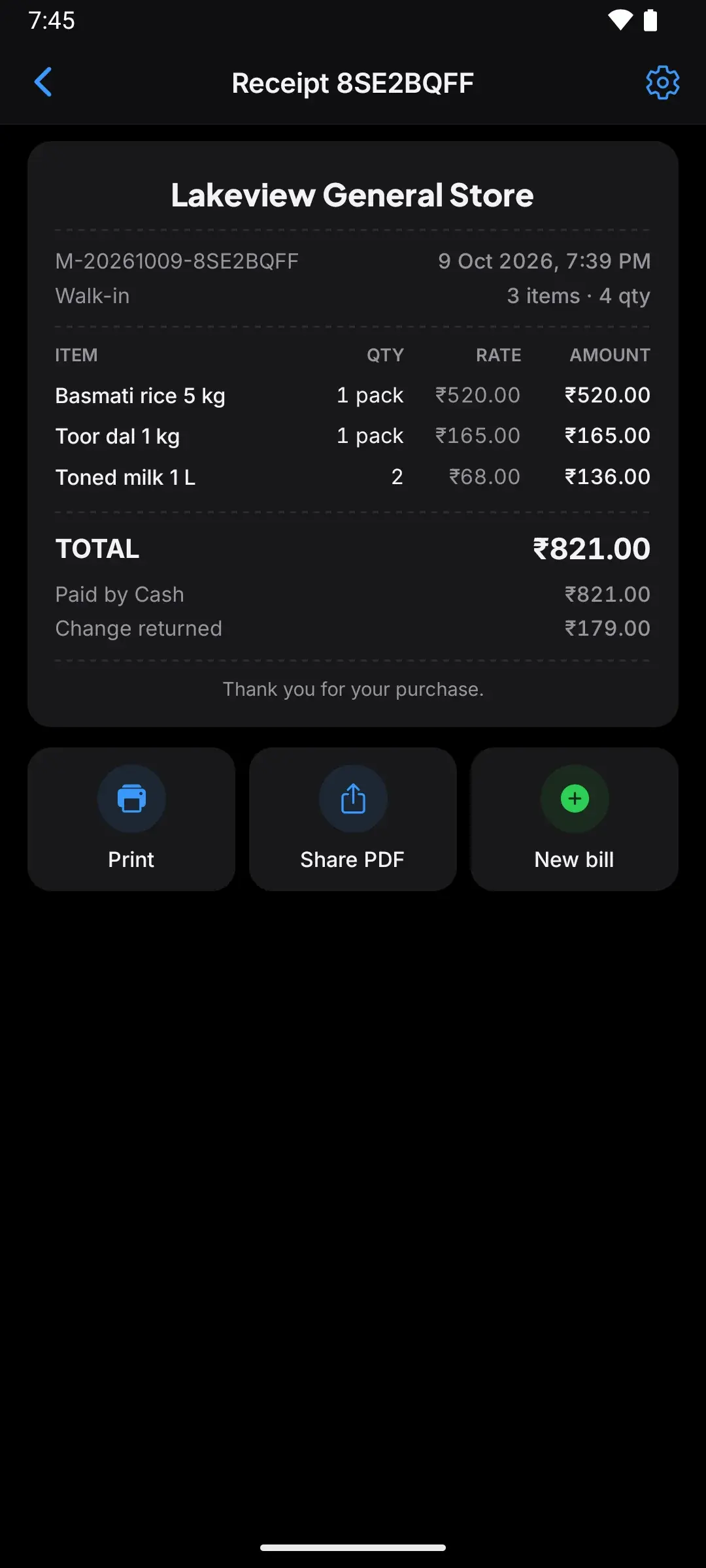
Hand the receipt
Print on a 58 or 80 mm thermal printer, or share a PDF.
-
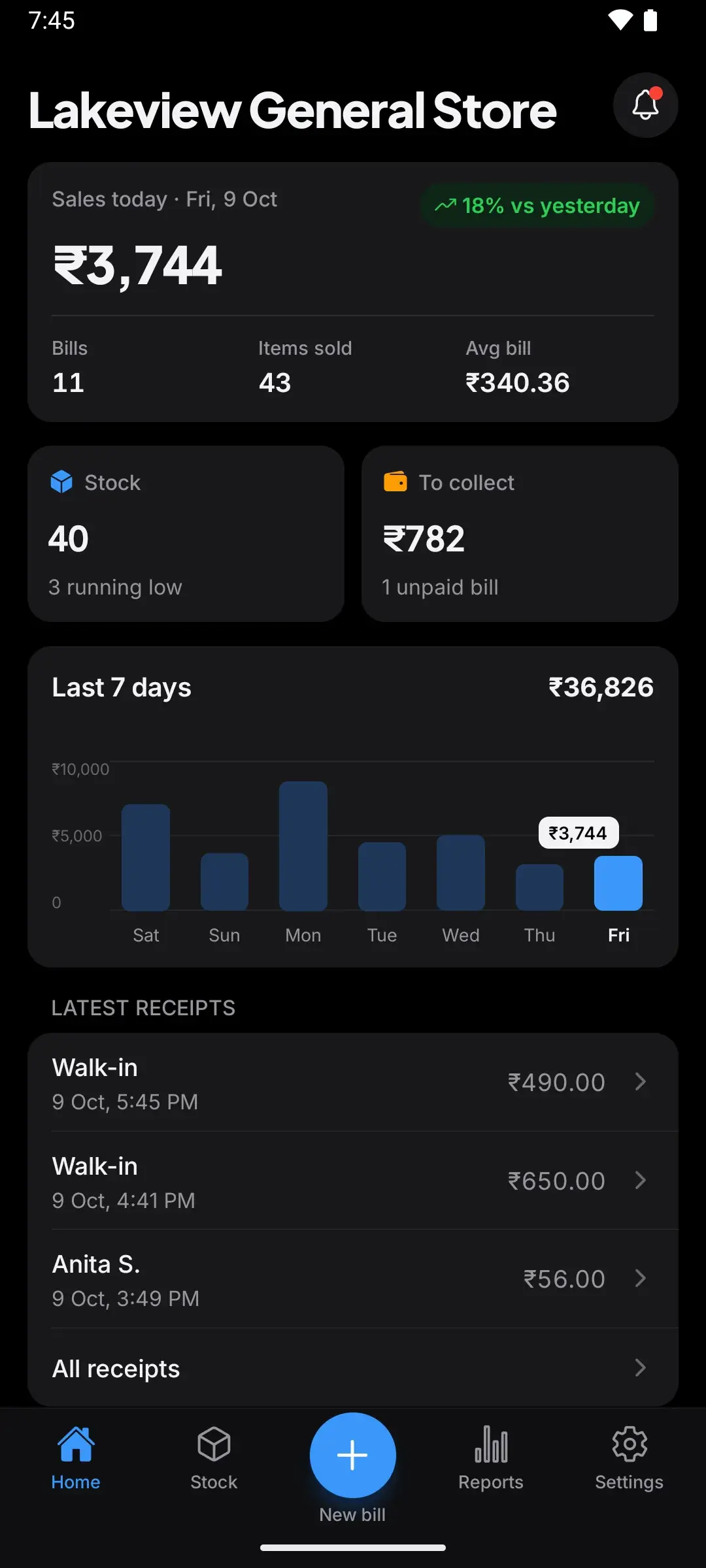
Watch the day add up
Sales, stock and money to collect update by themselves.


[02] What’s new
New in MOPX 2.9.0
22 October 2026
- Returns and refunds, shown on the bill
- Cancel or correct a bill without losing its payments
- Owner and worker PIN lock
- Optional daily backup to your own Google Drive
- UPI QR with the bill amount filled in
- Category picker and a clearer printer setup

[03]The price
Everything a counter needs. Total: ₹0.
No ads, no subscription, no in-app purchases.
MOPX
Billing · Stock · Credit
ItemAmount
Barcode scanner 0.00
Bills and change 0.00
GST receipts 0.00
Pay-later book 0.00
Stock alerts 0.00
Sales reports 0.00
Encrypted backup 0.00
Dark and light 0.00
Returns and refunds 0.00
Cancel or correct a bill 0.00
PIN lock 0.00
UPI QR with amount 0.00
Google Drive backup 0.00
Pick categories 0.00
More printers 0.00
Sign-up None
Ads None
Internet Not needed
Total₹0.00
Payment: not needed
Thank you · Visit again
The MOPX difference
[04]Your data
Your shop stays on your phone.
No account. Your shop stays on your phone; if you turn on Google Drive backup, a copy goes to your own Google Drive. Or keep an encrypted backup file.
- Account
- None
- Cloud copy
- Optional
- Backup
- AES-256


[06]Install
Ready when your next customer is.
- Free
- Android 7.0+
- No account

